
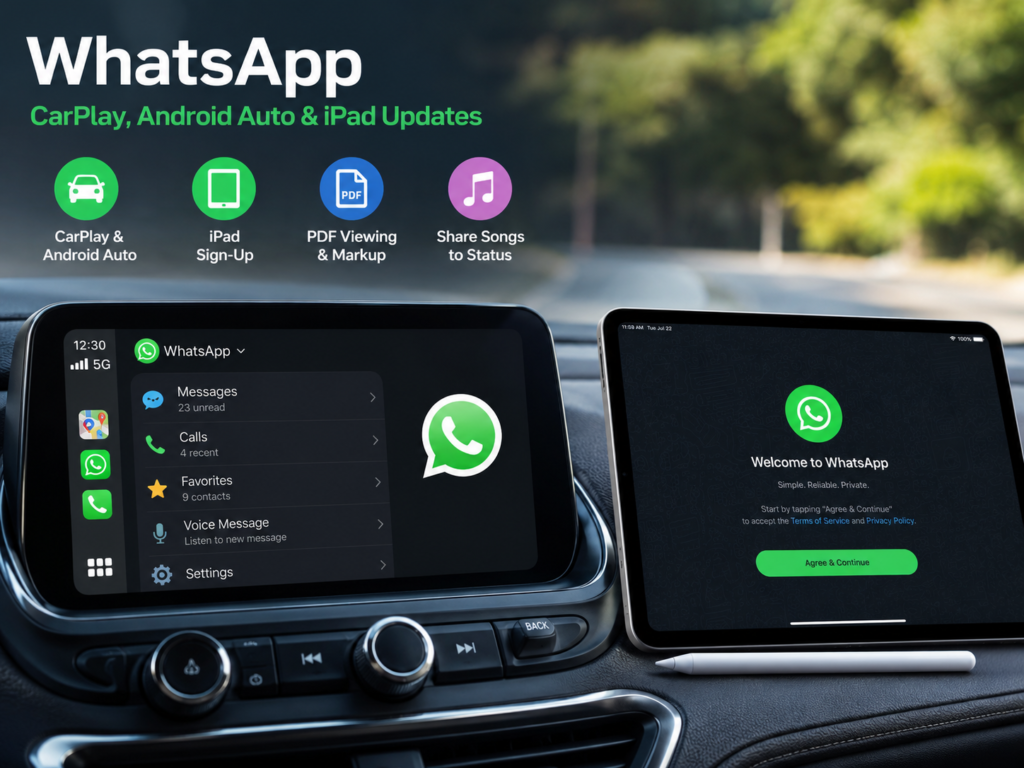
WhatsApp is expanding beyond the phone with a useful set of updates for drivers, iPad owners, desktop users, and music fans. The latest release upgrades WhatsApp on Apple CarPlay and Android Auto, adds direct account registration on iPad, brings PDF markup tools to computers, and makes music sharing through Status much easier.
At first glance, these changes may look like a routine feature update. Still, several of them fix gaps that users have complained about for years. The direct iPad sign-up option is a good example. Until now, the iPad app worked mainly as a linked companion to a phone. Now, users can create a WhatsApp account straight from the tablet.
Meanwhile, drivers gain better access to calls, recent conversations, and favorite contacts through their car displays. As a result, WhatsApp feels more useful across phones, tablets, cars, and computers.
WhatsApp Gets Better Support for CarPlay and Android Auto
WhatsApp has worked with connected car systems for some time, but the experience often felt basic. Users could receive notifications and perform a few voice actions, yet many common WhatsApp controls remained tied to the phone.
Now, the refreshed CarPlay and Android Auto experience brings more communication tools to the vehicle’s display. Drivers can listen to incoming messages, dictate replies, start WhatsApp calls, check recent calls, and open a list of favorite contacts.
For example, a driver can ask the car system to read a WhatsApp message out loud. Then, the driver can dictate a short reply without reaching for the phone. In turn, the system converts the spoken response into text and sends it through WhatsApp.
At the same time, recent call access makes it easier to reconnect with someone during a journey. Favorite contacts can save a few extra steps too, especially for people who regularly call the same family members or colleagues.
The new design does not turn the car screen into a full WhatsApp inbox. That is a sensible choice. Drivers get access to the most useful actions, but the app keeps long chats and detailed account controls away from the dashboard.
How WhatsApp Works in Apple CarPlay and Android Auto
The car experience still relies on a connected smartphone. Apple CarPlay requires a supported iPhone, and Android Auto uses a compatible Android device.
Once the phone connects to the vehicle, WhatsApp appears with the other supported apps. Drivers can then use voice commands, steering-wheel buttons, physical dashboard controls, or the infotainment touchscreen.
For instance, a user can open WhatsApp and choose a recent contact. Next, the driver can start a voice call or ask the system to read a new message. The exact controls vary from one car to another, but the main WhatsApp functions remain similar.
Meanwhile, vehicle design plays a role in the experience. A large touchscreen can display more options than a small dashboard screen. Some cars rely heavily on voice controls, and others provide physical buttons for calls and media.
Still, the update aims to make the same core actions available across both major car platforms. These include message playback, voice replies, calls, recent call history, and favorite contacts.
The Car Upgrade Can Reduce Phone Distractions
The biggest benefit is simple. Drivers have fewer reasons to touch their phones.
WhatsApp messages often arrive during commutes, school runs, deliveries, and long trips. Previously, limited dashboard controls sometimes tempted users to check their phone for more details. Now, the expanded voice features make short interactions easier to handle through the car.
For example, a parent can hear a quick family update and reply with a few words. A delivery driver can return a missed WhatsApp call without searching through the phone. In the same way, a worker travelling between appointments can contact a favorite person through the dashboard.
Even so, voice control does not remove every distraction. A serious or emotional conversation can pull attention away from the road. For that reason, drivers should keep replies short and leave detailed chats until the car is parked.
The update cannot replace good driving habits. Yet it gives users a safer and more practical way to manage urgent communication.
WhatsApp Now Lets Users Sign Up Directly on iPad
The iPad improvement is one of the most useful changes in this release.
WhatsApp launched its dedicated iPad app in 2025. The app offered a layout designed for the larger tablet display, but users still had to connect it to an existing account created on a phone.
Now, users can register for WhatsApp directly from the iPad app. They no longer need to treat the tablet as a secondary device tied to a main smartphone.
For example, a new user can download WhatsApp from the App Store, open the app, and start the registration process on the iPad. This gives tablet owners more control over where they create and manage their accounts.
At the same time, direct registration makes sense for people who already use an iPad as their main personal device. Some users browse, work, make video calls, and handle messages almost entirely from a tablet. For them, linking WhatsApp to a separate phone added an unnecessary step.
In fact, this change makes the iPad app feel like a proper platform rather than a companion screen.
The iPad App Is Now More Useful for Daily Communication
The larger iPad display already gives WhatsApp several practical benefits. Group chats are easier to follow, photos look better, and document conversations feel less cramped. Video calls can feel more natural too, especially with the tablet placed on a desk or stand.
Now, direct sign-up gives those features a stronger purpose. Users can start with an iPad instead of setting up WhatsApp elsewhere first.
For instance, an older family member who mainly uses a tablet can create an account without managing two devices. A remote worker can keep personal and work communication on separate hardware. In turn, a household that shares tablets can create a more suitable setup for its needs.
The feature should have arrived with the first iPad app. Still, it is a welcome change. It removes friction from the setup process and gives people more freedom to choose their primary device.
WhatsApp Adds PDF Viewing and Markup Tools on Desktop
WhatsApp is improving document handling on computers too.
Users can now open PDF files inside WhatsApp Web and the desktop app. They can review files without downloading them first, and they can use Adobe Acrobat tools for simple markup tasks.
The available tools include:
- Opening PDF files inside conversations
- Highlighting text
- Adding basic annotations
- Reviewing documents without changing apps
- Marking sections before sending feedback
For example, a colleague can highlight a paragraph in a report and respond with a short comment. A customer can mark an incorrect detail on an invoice. Likewise, a family member can point out information inside a booking document.
The feature is not meant to replace a full PDF editor. Even so, it can save time during quick document conversations.
Meanwhile, the update fits a wider shift in mobile and desktop software. Major platforms are opening more services and app features across devices. A related example is Google Play opening its app catalog to rival Android stores, which reflects the push toward broader access and more user choice.
Spotify and Apple Music Songs Can Be Shared to WhatsApp Status
Music sharing is getting easier too.
Users can now send songs from Spotify or Apple Music directly to their WhatsApp Status. Contacts can then see what the person is listening to without receiving the track through a private conversation.
For example, someone can share a favorite new release, a nostalgic song, or a track that matches their mood. Then, friends can view the post through the Status section.
This feature feels familiar to anyone who has shared music through Instagram Stories. Still, bringing it into WhatsApp makes sense. Many people use Status every day to share photos, text updates, short videos, and personal moments.
At the same time, the feature gives Status posts a little more personality. It is not the biggest part of the update, but regular Status users will probably enjoy it.
When Will the New WhatsApp Features Reach Your Device?
WhatsApp began rolling out these features on July 22, 2026. The release is gradual, so not every user will see every option on the same day.
First, users should update WhatsApp through the Apple App Store or Google Play Store. Desktop users should install the latest WhatsApp version or refresh WhatsApp Web.
Next, CarPlay and Android Auto users should reconnect their phones to the vehicle after updating the app. Restarting the phone can help the car system load the new WhatsApp controls.
Meanwhile, iPad users should download the newest WhatsApp release from the App Store. Direct registration should appear during setup once the update reaches the account and device.
Some features can arrive later based on device type, account settings, app version, or region. For that reason, a missing option does not always mean the device lacks support.
Is the Latest WhatsApp Update Worth Using?
The CarPlay, Android Auto, and iPad changes are the strongest parts of the update.
The new car controls make WhatsApp more practical during trips. Drivers get quicker access to messages, voice replies, calls, recent call history, and favorite contacts. At the same time, the design keeps complex messaging tasks away from the dashboard.
Direct iPad sign-up solves a long-standing problem too. It turns the tablet app into a more independent version of WhatsApp and removes the need to begin the setup process on a phone.
Meanwhile, PDF markup adds value for people who exchange documents through chats. Music sharing brings a lighter social feature for regular Status users.
Taken together, the changes make WhatsApp feel more complete across different devices. The update does not rely on flashy tricks. Instead, it improves common tasks that people already perform every day.