VersusScout

53 facts in comparison
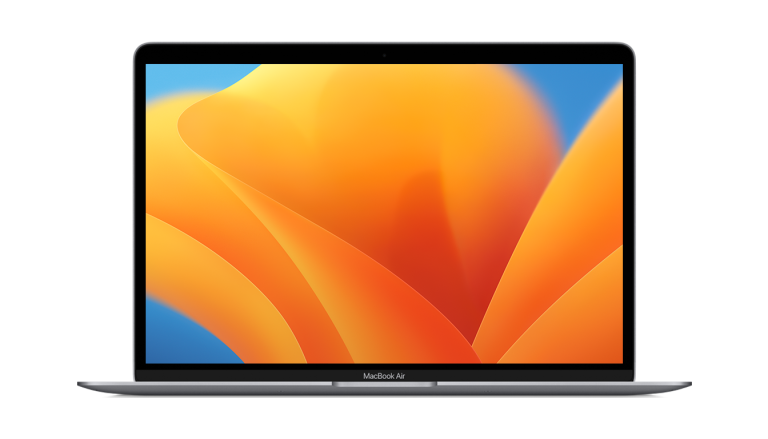
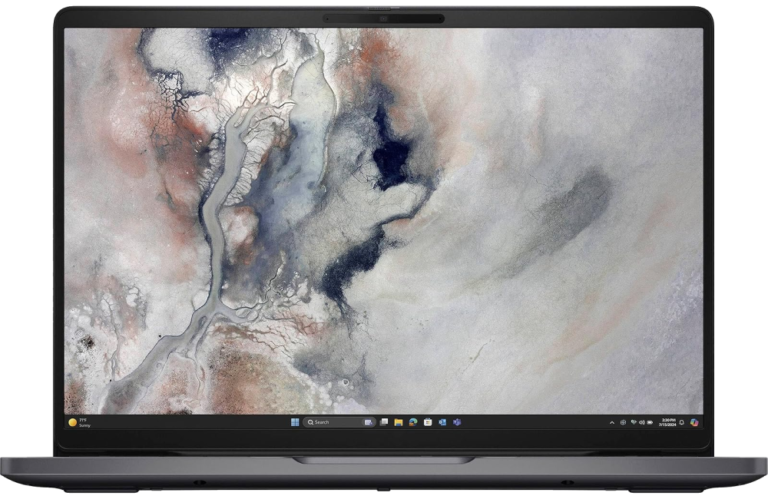
Apple MacBook Air 13 (M1, 2020) vs Dell Pro 14
This comparison puts the Apple MacBook Air 13 (M1, 2020) and Dell Pro 14 side by side — two laptops measured against the same 53-spec sheet, with every meaningful gap scored and explained. On our weighted VS Score the Dell Pro 14 finishes ahead, 87 to 59 — a decisive result.
The single biggest measurable gap is RAM: 8 GB vs 16 GB. None of our retail partners currently lists the Apple MacBook Air 13 (M1, 2020), so availability may be limited and price cannot factor into this comparison.
Where the Apple MacBook Air 13 (M1, 2020) beats the Dell Pro 14
- 0.28 mm less thickness ?16.1 mm vs 16.38 mm
- 400 px more resolution ?1,600 px vs 1,200 px
- 100 nits more brightness ?400 nits vs 300 nits
- 1 more microphones ?3 vs 2
Where the Dell Pro 14 beats the Apple MacBook Air 13 (M1, 2020)
- 0.15 kg less weight ?1.14 kg vs 1.29 kg
- 0.7 " more screen size ?14 " vs 13.3 "
- Has anti-glare display ?
- 8 GB more RAM ?16 GB vs 8 GB
- 1,772 more Geekbench score ?9,857 vs 8,085
- 5 more Cinebench multi-core ?509 vs 504
- 16 GB more max RAM ?32 GB vs 16 GB
- 10.1 Wh more battery capacity ?60 Wh vs 49.9 Wh
- 70 W more charging power ?100 W vs 30 W
Key real-world differences
The spec sheet pulls in both directions. These are the gaps big enough to shape the decision — with the actual figures, and what each one means in real-world use.
- RAMPerformance8 GB vs 16 GB — 2× more for the Dell Pro 14
More RAM improves multitasking.
- Anti-glare displayDisplayNo vs Yes — only the Dell Pro 14 has it
A matte, anti-glare finish reduces reflections in bright rooms.
- USB-A portsConnectivity0 vs 1 — 100% more for the Dell Pro 14
Standard USB-A ports for older peripherals.
- HDMI portConnectivityNo vs Yes — only the Dell Pro 14 has it
Connect to external displays without an adapter.
- 1080p webcamAudio & cameraNo vs Yes — only the Dell Pro 14 has it
A Full-HD webcam is much sharper than 720p.
Which one should you buy?
There is no single answer — it depends on what you will actually use it for. Match your priority to the pick below.
- Best for performance Dell Pro 14 takes the category 100 to 59 — driven by RAM (8 GB vs 16 GB).
- Best for display Apple MacBook Air 13 (M1, 2020) takes the category 77 to 58.
- Best for battery Dell Pro 14 takes the category 100 to 64 — driven by charging power (30 W vs 100 W).
- Best for design Dell Pro 14 takes the category 79 to 58 — driven by weight (1.29 kg vs 1.14 kg).
- Best for connectivity Dell Pro 14 takes the category 100 to 33 — driven by USB-A ports (0 vs 1).
- The safe all-rounder Dell Pro 14 wins more of the categories that carry real weight, topping the overall VS Score at 87.
Where each one falls short
Apple MacBook Air 13 (M1, 2020)
- RAM: 8 GB vs 16 GB
- Anti-glare display: No vs Yes
- USB-A ports: 0 vs 1
Dell Pro 14
- Resolution: 1,600 px vs 1,200 px
- Brightness: 400 nits vs 300 nits
- Microphones: 3 vs 2
- 3 specs are unreported (shown as Unknown) and excluded from its scores.
What matters to you?
Drag the sliders to weight each category and re-rank the products to suit your priorities.
Score breakdown
How the VS Score works — and what it can’t tell you
Every measurable spec is scored relative to this matchup: the best value here earns 100%, the worst 0%, and everything between scales linearly. Each spec then counts according to an editorial weight that reflects real-world impact — a battery-capacity gap moves the score far more than a colour-options list. The category scores above are the weighted results inside each group, and the overall VS Score rolls all of them together; the evidence line under each category names the specs that actually decided it.
Unknown values are never estimated. A spec a product doesn’t report simply drops out of that product’s scoring — it isn’t penalised with a guess — and a spec only one side reports can never produce a “win”. The trade-off is honest but real: a thinner spec sheet means a score built on fewer data points, which is why the completeness figures are disclosed under About this data.
Most importantly: a spec-sheet lead is not the same as a better product. Megapixels, gigahertz and benchmark points describe capacity, not experience — image processing, software optimisation, thermals, haptics and ergonomics decide how a device actually feels, and no table captures reliability or long-term support quality. Treat the scores as a structured summary of what can be measured, read the caveats under each key difference, and use the weight tuner to re-rank the comparison by what matters to you.
Design
A lighter laptop is easier to carry around.
A thinner laptop is more portable.
The chassis material (e.g. aluminium).
The keys are illuminated for use in the dark.
Sign in quickly and securely with a fingerprint.
The screen folds back or detaches to work as a tablet.
A dedicated number pad speeds up data entry.
The colour options the laptop is sold in.
Display
A larger screen is better for productivity and media.
A matte, anti-glare finish reduces reflections in bright rooms.
The vertical pixel count; higher is sharper.
A higher refresh rate is smoother for scrolling and gaming.
Brighter screens are easier to read in bright rooms.
Higher colour-gamut coverage means more accurate, vivid colour.
The display technology (e.g. OLED, IPS).
The proportional relationship between screen width and height.
OLED panels offer deeper blacks and better contrast than LCD.
The screen responds to touch input.
Performance
The CPU model powering the laptop.
More cores help demanding workloads.
More RAM improves multitasking.
The memory standard (e.g. LPDDR5X); newer is faster.
The memory can be replaced or expanded later.
More solid-state storage holds more files and apps.
The GPU handling graphics and gaming.
A separate GPU greatly outperforms integrated graphics.
More video memory helps gaming and creative workloads.
A synthetic score estimating overall CPU performance.
A CPU rendering benchmark; higher scores mean faster multi-threaded work.
The neural engine's trillions-of-operations-per-second rating for on-device AI.
The most memory the laptop can be configured or upgraded with.
The SSD standard (e.g. PCIe 4.0 NVMe); newer is faster.
Supports very fast Thunderbolt or USB4 connections.
Battery
A larger battery generally lasts longer.
Estimated hours of use on a charge.
Higher wattage recharges the battery faster.
Charge over a standard USB-C cable / power bank.
Charges quickly from empty.
Connectivity
More USB-C ports add flexibility.
Standard USB-A ports for older peripherals.
Connect to external displays without an adapter.
Read camera memory cards directly.
A wired network port for a stable connection.
A 3.5mm jack for wired headphones and headsets.
Supports faster, less congested Wi-Fi 6E.
The Wi-Fi generation supported; later is faster.
A newer Bluetooth version improves range and efficiency.
A higher resolution webcam looks better on calls.
Audio & camera
A Full-HD webcam is much sharper than 720p.
Log in by face with an infrared camera.
Two speakers deliver richer, more immersive sound.
More microphones improve voice pickup on calls.
Software
The OS the laptop ships with.
About this data
- Specifications are compiled from each manufacturer’s official spec sheet, cross-checked against trusted specification databases, and normalised into one schema so identical things are compared identically.
- Specifications last verified July 30, 2026.
- Data completeness: Apple MacBook Air 13 (M1, 2020) 100% and Dell Pro 14 94% of the 53 specs in this category. Anything we could not verify is shown as Unknown — never estimated — and is excluded from all scores.
- Prices and availability come from live retailer feeds via our shopping partners and refresh throughout the day; a missing price means no partner currently lists the product, not that it is discontinued.
- Want the full picture? Our editorial guidelines explain how we research products, weight the scores and stay independent.
- Spotted an error in a spec? Tell us and we will correct the sheet.
Where to buy
Prices and availability may change. Check the retailer before buying. We may earn a commission on purchases.
What reviewers say
The bottom line
The Dell Pro 14 is the clear winner, scoring 87 to 59 on our VS Score. It leads on Design, Performance and Battery. The Apple MacBook Air 13 (M1, 2020) answers back with stronger Display. Pick the Dell Pro 14 unless Display matters most to you — then the Apple MacBook Air 13 (M1, 2020) is the smarter buy.
Latest comparisons
 vs
vs
 vs
vs vs
vs
 vsvs
vsvs vs
vs
 vs
vs
 vsvs
vsvs vs
vs vs
vs vs
vs
Latest Laptops